How CFBLiveMap Works: the Live College Football News Map
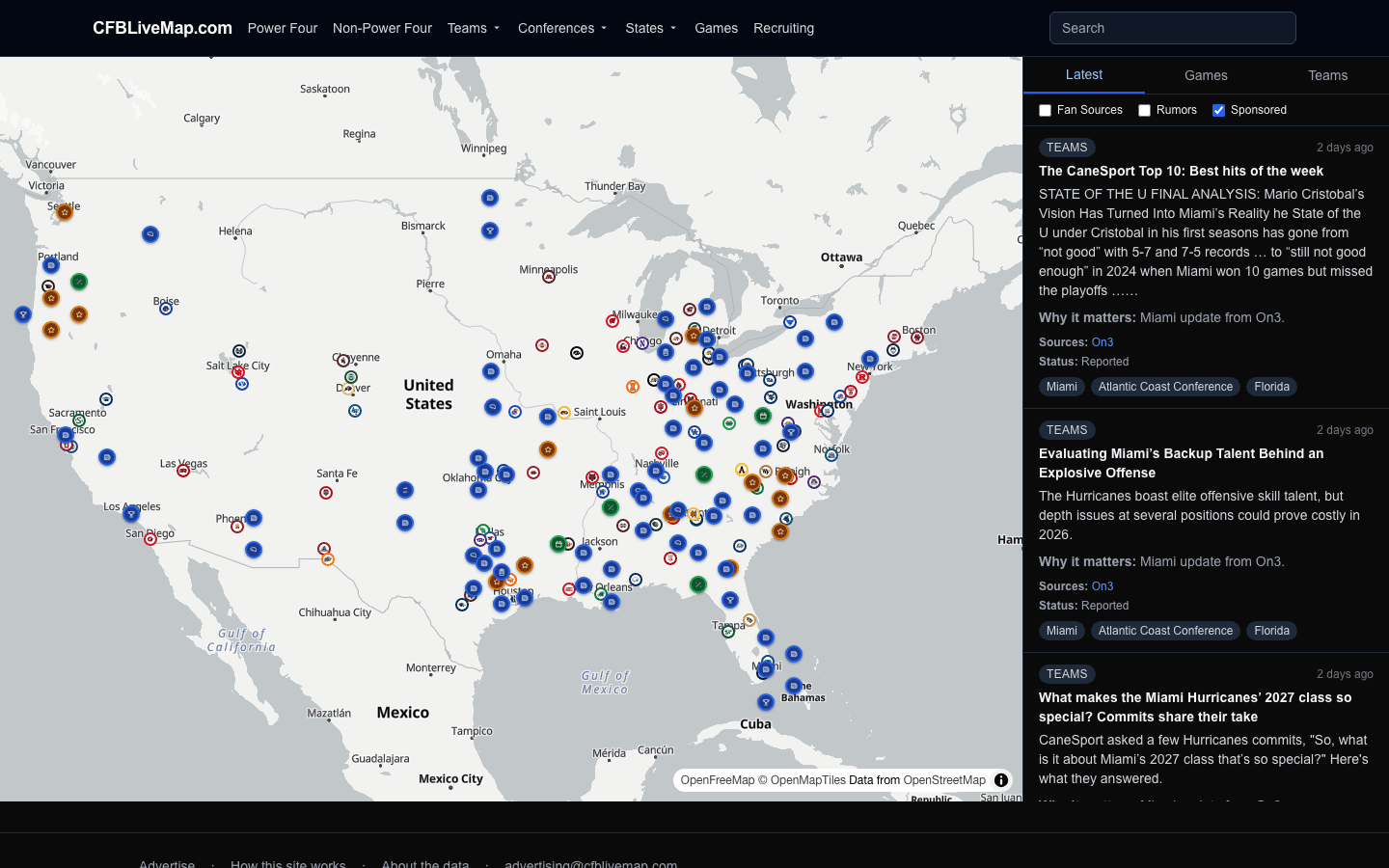
CFBLiveMap is a college football live map: real-time college football news pinned to the place it happens. The national map on the left shows what is breaking and where, and the live feed on the right mirrors those same markers as readable cards. Filter one and you filter both, so you always see CFB news by team, conference and state in one view, alongside college football scores and schedules as the games play out.
There are no accounts and no logins: no account required to browse the map, the feed or the college football recruiting map. Personalize what you see with a browser-saved checklist, or subscribe by email for real-time alerts and a morning digest. This page walks through how each part works, with real screenshots from the site, and ends with a FAQ covering the most common questions.
The front page is a short clay-world scroll journey that flies from a home planet down into the campus, the stadium and a coach's office, one chapter per feature. The Live Map itself lives at /map.
The national map
Every FBS team sits on the map as a helmet pin ringed in its school colors. A pin glows for the first hour after a new story is posted about that team, and grows larger on game day so the day's action stands out at a glance.
Individual stories appear as their own typed markers, each with a glyph that tells you what it is before you click: injuries, commitments, transfer-portal moves, ranking changes, coaching news, rumors and more. The map is the index to everything happening in college football right now.
Zoom controls how much you see. At the national level markers spread out so co-located stories stay legible, and dense clusters collapse into a +N badge. Zoom in and those stacks expand, spreading each story into its own readable marker.
The live feed
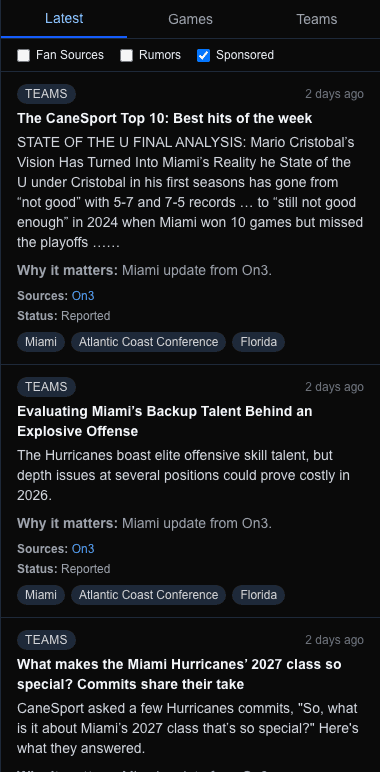
The feed on the right mirrors what is on the map. Each card leads with the headline and a plain-language Why it matters line, so you get the significance without hunting for it.
Every card shows its sources as links, with a status label that tells you how solid the story is: Official, Reported, Reported by multiple sources, Fan, or Rumor. New stories arrive on a staged “N new updates” refresh rather than jumping the list around while you read.
Toggles at the top of the feed let you fold in Fan sources and Rumors, or hide Sponsored posts. The feed adjusts to exactly the mix you want.
One filter, both panes
The map and the feed are two views of the same thing, so filtering acts on both at once. Tabs, category chips, the Fan/Rumors/Sponsored toggles, and clicking a state on the map all narrow the map markers and the feed cards together, so there is never a mismatch between what you see on the left and what you read on the right.
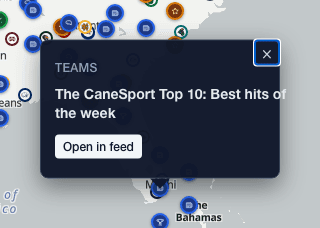
Because every filter lives in the URL, any view you build is shareable: send the link and the other person sees the same map, feed and filters. Clicking a story marker opens a popup with its headline and an Open in feed button that jumps straight to the matching card.
Team, conference, state, game and player pages
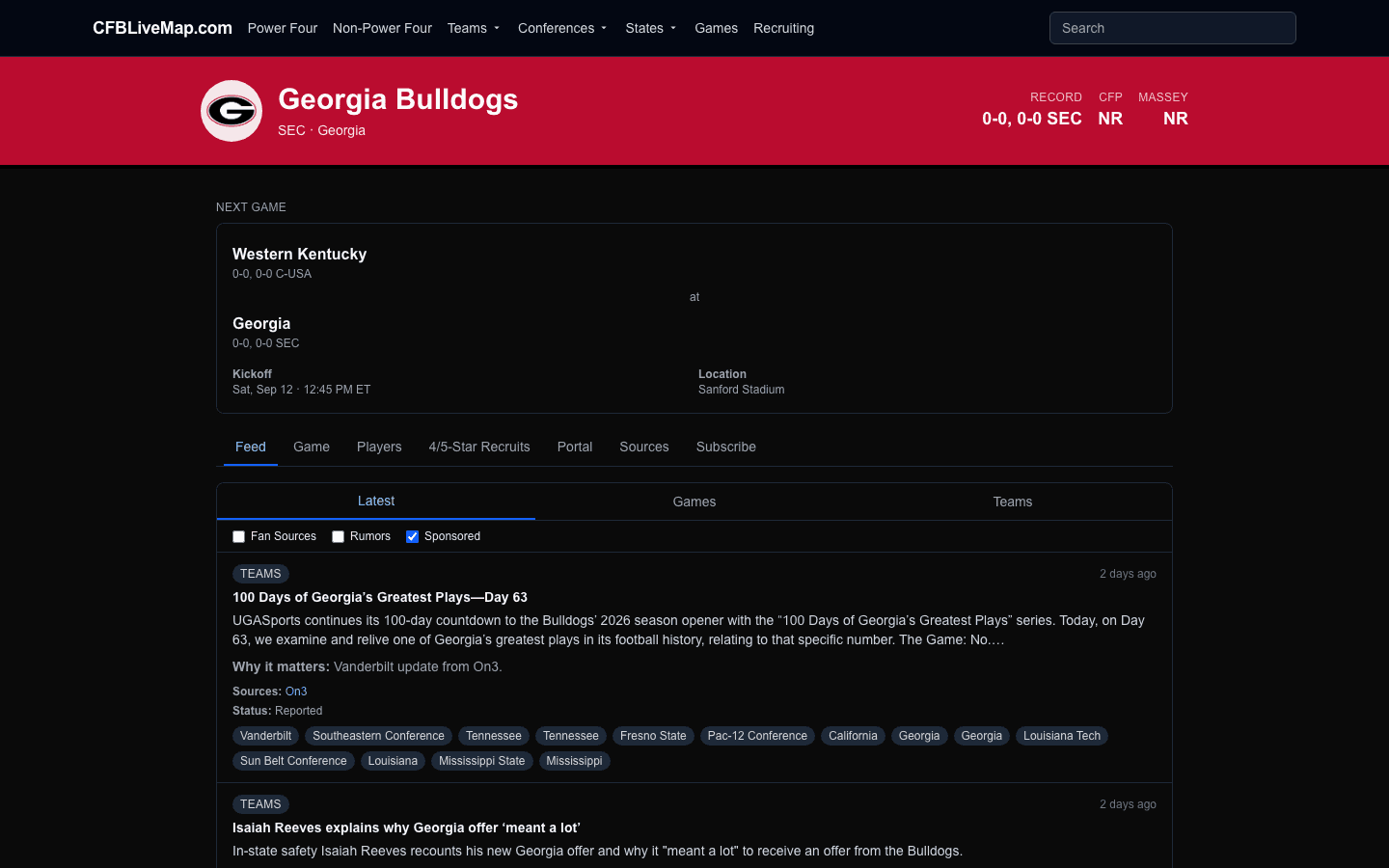
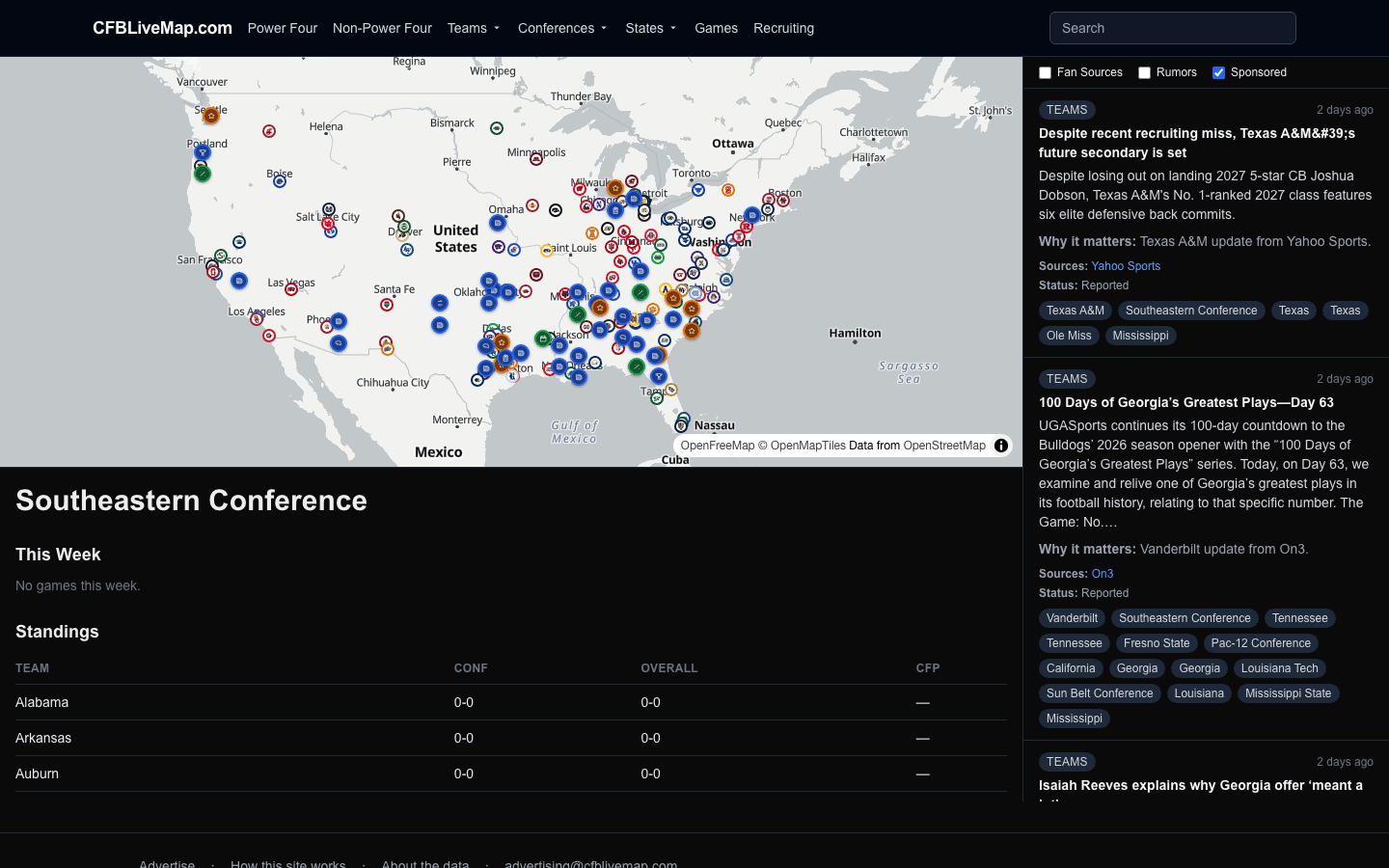
Every school has its own branded page in team colors, with a primary game/recap card and tabs for the schedule, roster, recruiting, portal, sources and a school-scoped feed. Conference and state pages use the same split map-and-feed layout as the Live Map, scoped to their members.
Conference pages add standings and this-week games; state pages surface the in-state teams and the recruits who call that state home. Game and player pages give each matchup and each athlete a permanent home on the site.
Recruiting
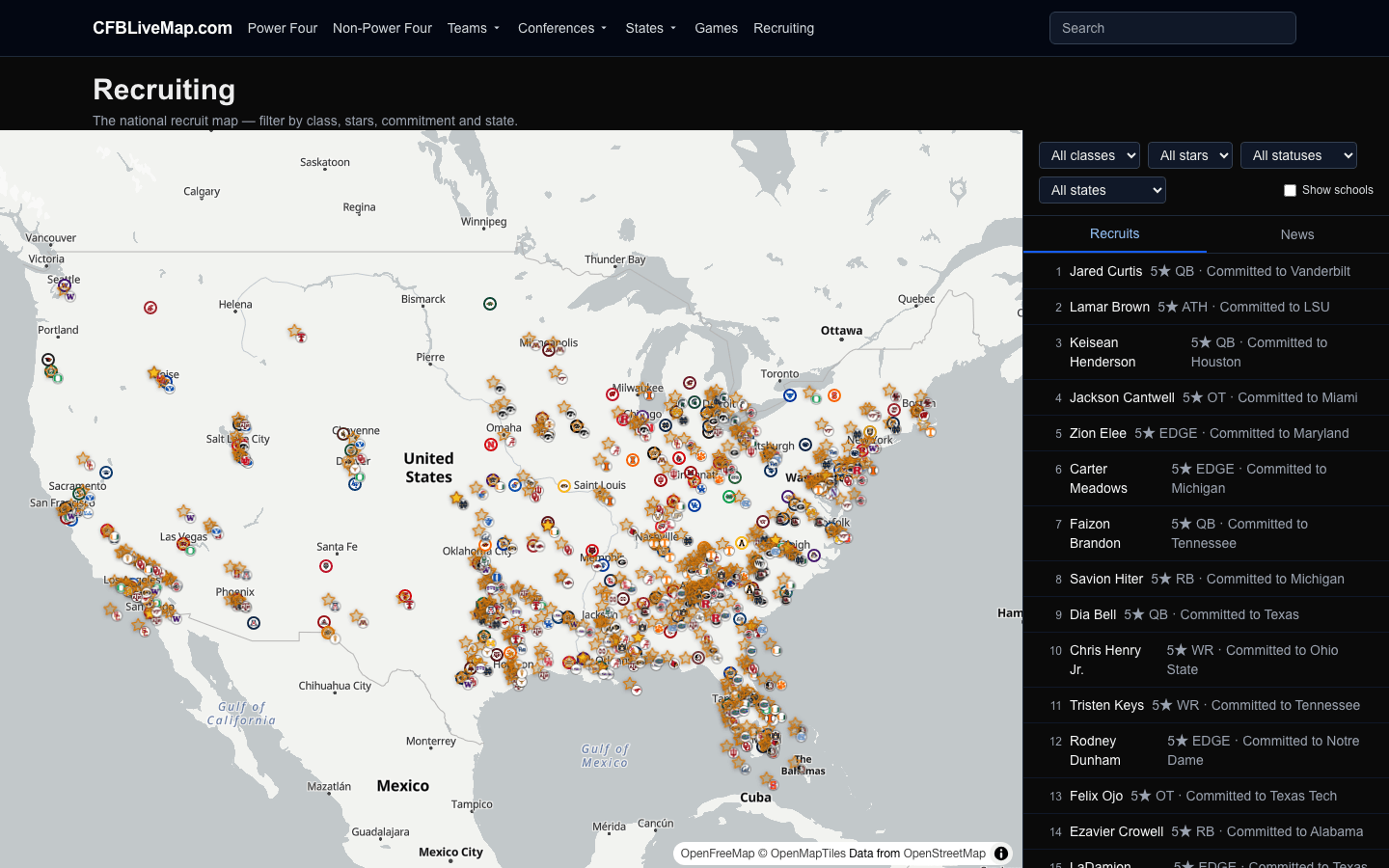
The recruiting map plots the top prospects (4★ and 5★ only) as star pins at their hometowns. Filter by class, star rating, commitment status and state, and the star pins and the ranked list shrink and grow together.
These star pins live on the /recruiting map and on state pages, but are kept off the Live Map by design so the national view stays focused on teams and breaking news.
Dynasty Simulation: the college football coaching sim
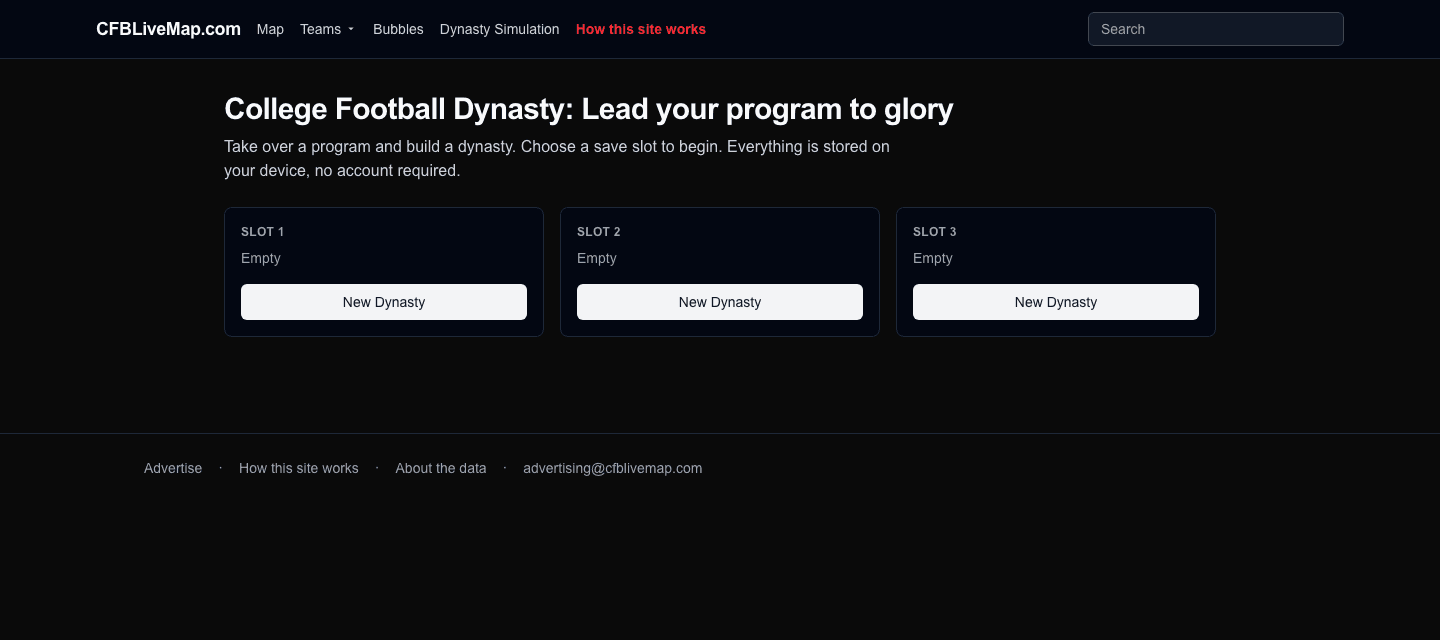
College Football Dynasty: Lead your program to glory is a free coaching sim built right into the site. Open /dynasty and take over a program. A new dynasty drops you straight into the transfer portal to patch the holes on your roster, spending an NIL budget to sign transfers. You then hire an offensive and defensive coordinator whose schemes lock your formation for the season, set your depth chart at individual positions, and play a 12-game season week by week with a drive-level sim, managing injuries as they happen, while chasing your conference title, a bowl bid, and a spot in the 12-team College Football Playoff.
Between seasons you recruit a class, develop your players, and work the portal again, re-signing your own departing stars with NIL loyalty discounts, all while managing the coordinator carousel under hot-seat pressure. Win and you stay; fall short for too long and you are let go, but the dynasty continues at your next job. Every season is archived: your record, poll finish and Playoff run feed a multi-season career page, a program record book, and a league history of past champions.
It runs entirely in your browser with no account required: three save slots live in your device's local storage, and you can export or import a dynasty as a file. Nothing here uses real teams or logos; it is a self-contained fictional universe, separate from the live news map.
CFB Bubbles: the rating movers
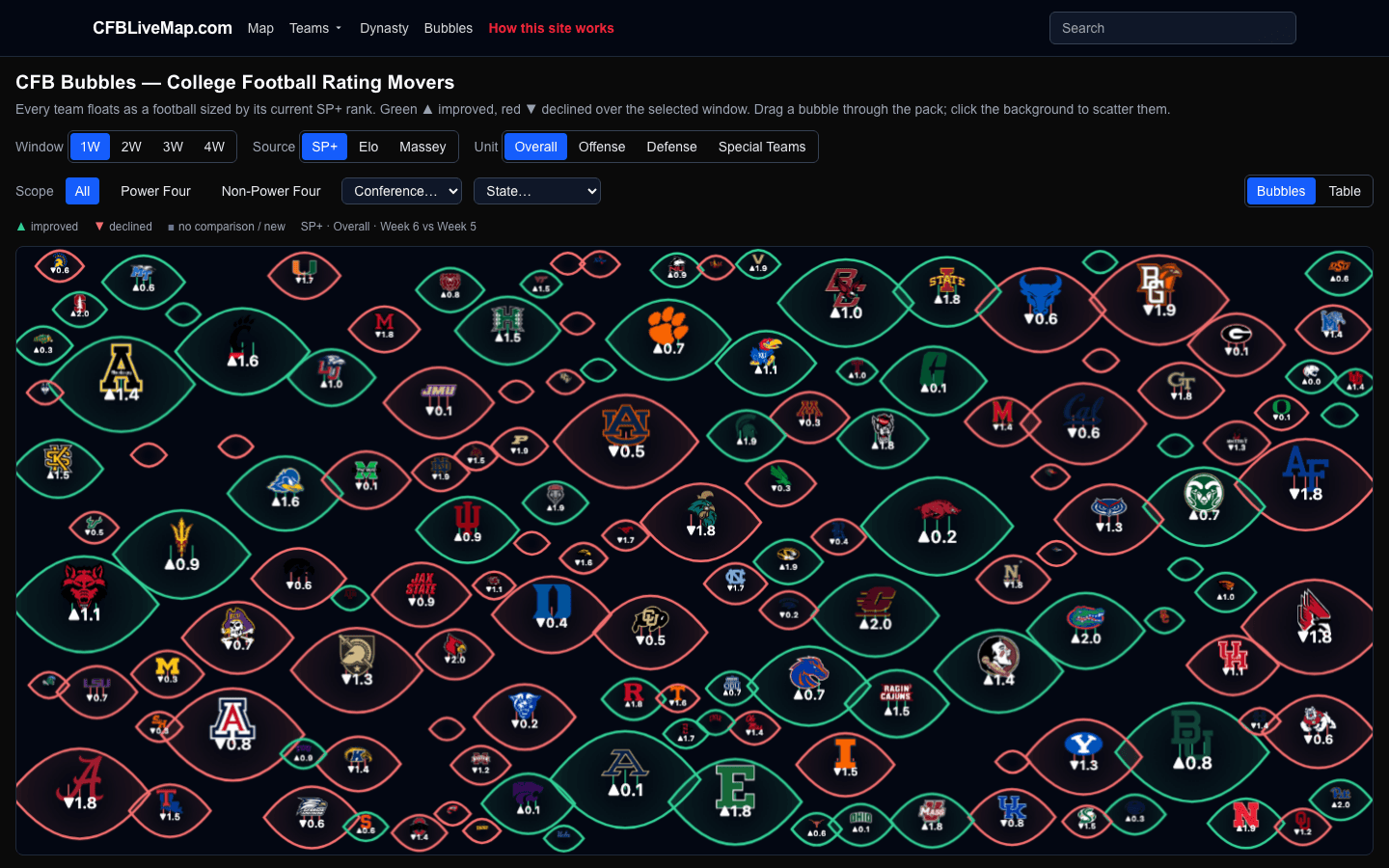
CFB Bubbles at /cfb-bubbles turns the week's rating movement into a playful physics toy. Every FBS team floats as a football sized by its current rank and colored by how it moved over the window you pick: green ▲ for teams on the rise, red ▼ for teams sliding, with an arrow showing the direction. Choose a window of one to four weeks and a rating source (SP+, Elo or Massey) and, on SP+, toggle between the overall, offense and defense units.
The bigger the bubble, the higher the team ranks right now; the greener it is, the more it climbed. Drag a bubble and it bumps through the pack; click one to open a team card with its rating and a link to the full team page; click the empty background to scatter them all and watch them resettle. Filter the field by conference or state to compare just the teams you care about. Prefer numbers? A sortable table view lists every team's rank and movement: the same data, and what search engines see.
My CFB Map & local settings
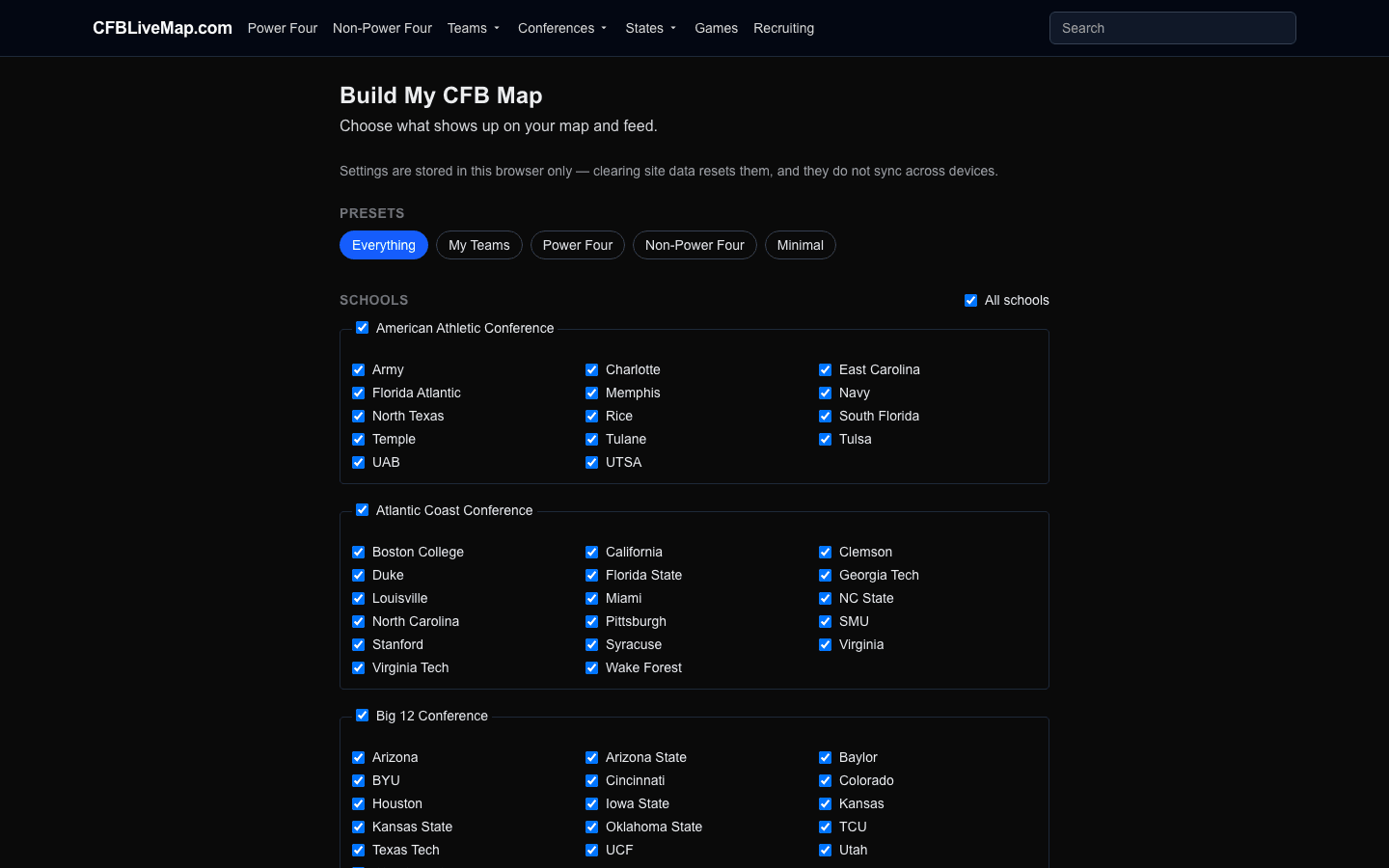
“Build My CFB Map” is a one-page checklist for picking exactly the schools, conferences, states and content you care about. Presets like Everything, My Teams, Power Four and Minimal reshape your selection in one click.
Your choices are saved in your browser, no account required. Because they live in local storage, settings are per-browser and per-device, and clearing your site data resets them.
Email alerts
You can subscribe by email without creating an account. Enter your address, confirm via the link we send to your inbox, and you are set: no password, no profile.
Choose instant alerts for the teams and topics you follow, a once-a-day morning digest, or both. Every email includes magic links to manage your preferences or unsubscribe in one click, so you are always in control.
Browsing by date
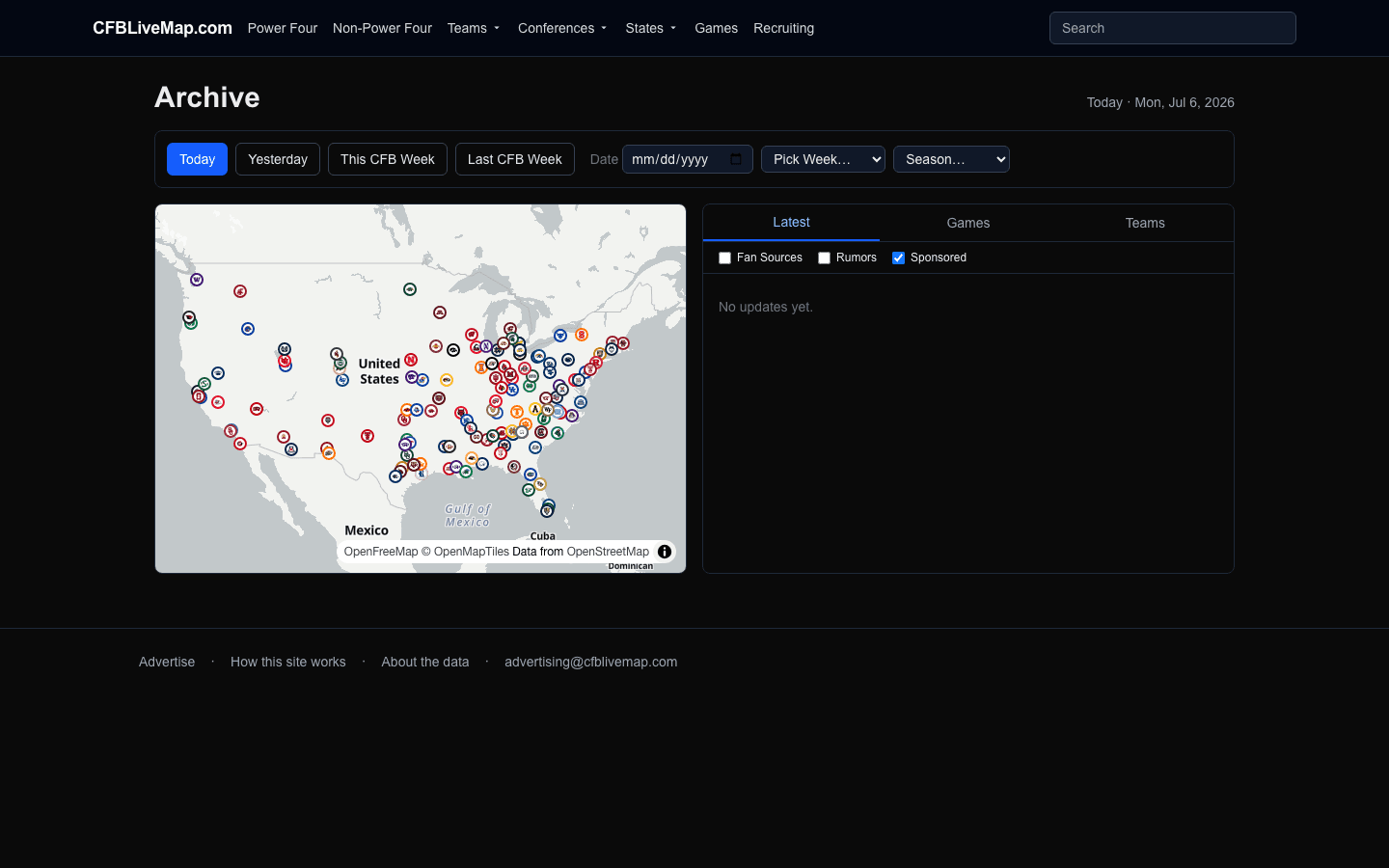
The archive lets you travel back in time. Jump to Today or Yesterday, pick a specific CFB week, or browse the full season. Both the map and the feed reflect the date you choose, so you can see exactly what the country looked like on any given day.
Game results are permanent. Other stories drop out of the active feeds after two weeks to keep the live view current, but they never disappear; they stay in the archive for the date they happened.
Where stories come from
Every story is tied to a registered source, and sources carry a credibility tier: official team and league accounts first, then established outlets, then individual reporters, then fan sources, and finally clearly marked rumors. Those tiers are what drive the status label on each feed card.
When multiple sources report the same thing, we automatically merge them into a single multi-source card instead of flooding the feed with duplicates. If a story turns out to be wrong it is removed and disappears from the site, and anyone who was emailed about it receives a correction notice.
Sponsored content
Some feed posts and map pins are sponsored. They are always clearly labeled as sponsored, they never use school logos or marks, and you can hide them entirely with the Sponsored toggle in the feed.
We do not run sports-betting ads, ever.
Frequently asked questions
How do I see news about my team only?
Open your team’s page from the map or the Teams menu; every FBS school has its own branded page with a school-scoped feed, schedule, roster, recruiting and portal news. To follow several teams at once, use “Build My CFB Map” to pick exactly the schools you care about; your map and feed then show only those teams. Because every filter also lives in the URL, you can bookmark or share your my-team view.
How do I find recruits from my state?
The college football recruiting map plots 4-star and 5-star prospects at their hometowns. Open /recruiting and filter by state (also by class, star rating and commitment status), or open your state’s page, which surfaces the in-state schools and the top recruits who call that state home. The star pins and the ranked list narrow together as you filter.
Is CFBLiveMap free, and do I need an account?
CFBLiveMap is free to browse and no account is required. There are no logins and no passwords. You can personalize your map and feed with a checklist that saves in your browser, and you can optionally add your email for alerts, but nothing on the site is paywalled or account-gated.
How do I get email alerts or a morning digest?
Enter your email on the Subscribe page and confirm it from the link we send you: no password, no profile. Then choose instant alerts for the teams and topics you follow, a once-a-day morning digest, or both. Every email includes one-click links to change your preferences or unsubscribe, so you stay in control.
How current is the news, and where does it come from?
The feed is real-time college football news: new stories arrive continuously and a pin glows for the first hour after a story is posted about that team. Every story is tied to a registered source that carries a credibility tier: official team and league accounts first, then established outlets, then individual reporters, then fan sources, and finally clearly marked rumors. Those tiers drive the status label on each card.
What do the map icons mean?
Each FBS team is a helmet pin ringed in its school colors; it glows for an hour after fresh news and grows larger on game day. Individual stories appear as their own typed markers with a glyph telling you what they are (injuries, commitments, transfer-portal moves, ranking changes, coaching news, rumors and more) before you click. Dense areas collapse into a +N badge that expands as you zoom in.
Why do some stories say Rumor or Fan Source?
Those labels tell you how solid a story is. Official and Reported stories come from team, league or established-outlet sources; Fan and Rumor stories come from lower-tier sources and are clearly marked so you can weigh them accordingly. You can fold Fan sources and Rumors in or out with toggles at the top of the feed, so you see exactly the mix you trust.
Does the site show gambling odds or picks?
No. CFBLiveMap does not publish any gambling content, and it never runs sports-betting ads. What you will see under games is a prediction aggregate, a summary of which team major outlets favor and their win-probability numbers, drawn only from those established outlets. It is editorial context, not a recommendation, and there is no sportsbook integration anywhere on the site.
How do I follow this week’s games and final scores?
The Games page and each conference page show this week’s matchups, and every game has its own page with the live card, the line and total, prediction aggregates, previews and recaps. Final scores are permanent: a result pins to the top of the relevant team and game views for a day and then lives on that game’s page for good.
Can I browse older news?
Yes: the Archive lets you travel back in time. Jump to Today or Yesterday, pick a specific CFB week, or browse the full season, and both the map and the feed rewind to the date you choose. Game results are kept permanently; other stories drop out of the active feed after two weeks but never disappear; they stay in the archive for the date they happened.
What are the Power Four and Non-Power Four pages?
Power Four is the map-and-feed view scoped to the ACC, Big Ten, Big 12 and SEC, with the week’s ranked matchups. Non-Power Four (the Group of Five) scopes the same layout to everyone else, surfacing undefeated teams, the College Football Playoff access race and high-stakes games. Both narrow the map and the feed to just those conferences.
Does it work on my phone?
Yes. CFBLiveMap is a responsive website that works in any modern mobile browser; there is no app to install and no account to create. The map, the live feed, team and recruiting pages, and email management all work on a phone, tablet or desktop.
What is Dynasty Simulation, and is it free?
College Football Dynasty: Lead your program to glory is a free coaching sim built into the site at /dynasty (the old /coach link still works). You take over a program, work the transfer portal with an NIL budget, hire coordinators whose schemes set your formation, manage a full roster through injuries, and play a 12-game season week by week with a drive-level sim, chasing a conference title, a bowl and the 12-team Playoff. It is completely free with no account required; your saves live in your browser, and you can export or import a dynasty as a file.
Does Dynasty use real teams, and does it save to my account?
No real teams or logos are used; Dynasty plays out in a self-contained fictional universe, kept separate from the live news map. There are no accounts anywhere on the site, so nothing saves to a profile; the game keeps three save slots in your device’s local storage. Because saves are per-browser, clearing your site data removes them, but you can export a dynasty to a file first and import it later or on another device.
What do the bubbles on CFB Bubbles mean?
CFB Bubbles, at /cfb-bubbles, shows every FBS team as a floating football sized by its current rank and colored by how its rating moved over the window you choose: green with an up arrow for teams on the rise, red with a down arrow for teams sliding. You can pick a window of one to four weeks and a rating source (SP+, Elo or Massey), and on SP+ switch between overall, offense and defense. Drag a bubble to bump it through the pack, click one for a team card that links to its full page, or click the background to scatter them; a sortable table view lists the same rank-and-movement numbers.
How do sponsored posts work?
Some feed posts and map pins are sponsored. They are always clearly labeled as sponsored, they never use school logos or marks, and you can hide them entirely with the Sponsored toggle in the feed. We do not run sports-betting ads. If you want to reach college football fans by school, state, conference, game and location, see the Advertise page.